On the App Store for Apple TV
Playris
Your Plex music, on the TV, with the remote.
Browse your Plex library by artist and album, search all of it from the couch, and keep lyrics or Milkdrop up on the screen while it plays.

Free to download. Needs a Plex account and a Plex Media Server with music on it.
What it does
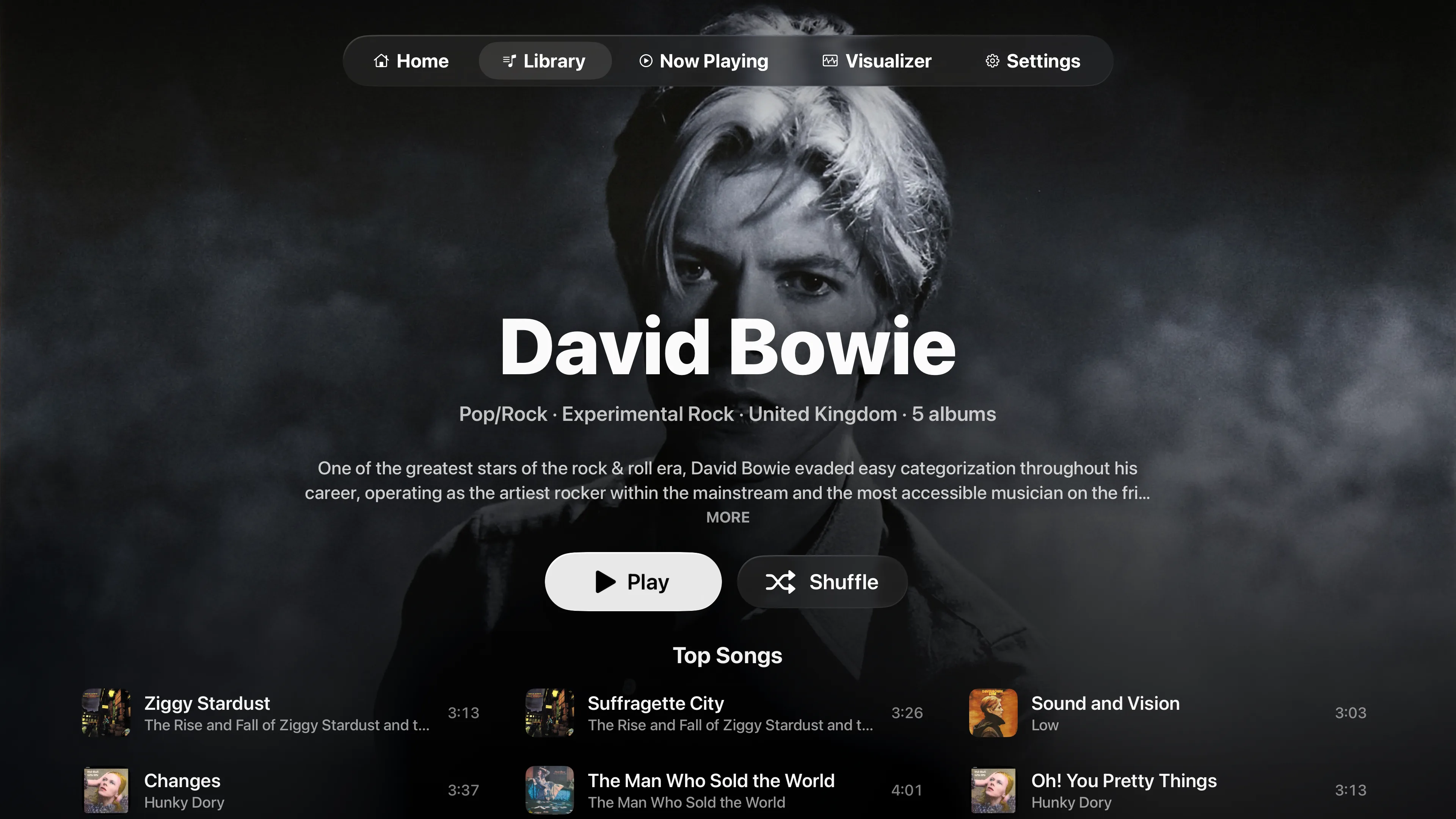
Every artist gets a page with a full-screen photo, a short bio, Top Songs and all their albums. Album pages add the label and Plex's review. Search covers artists, albums, tracks and playlists, and if your server has more than one music library you switch between them at the top of Library.
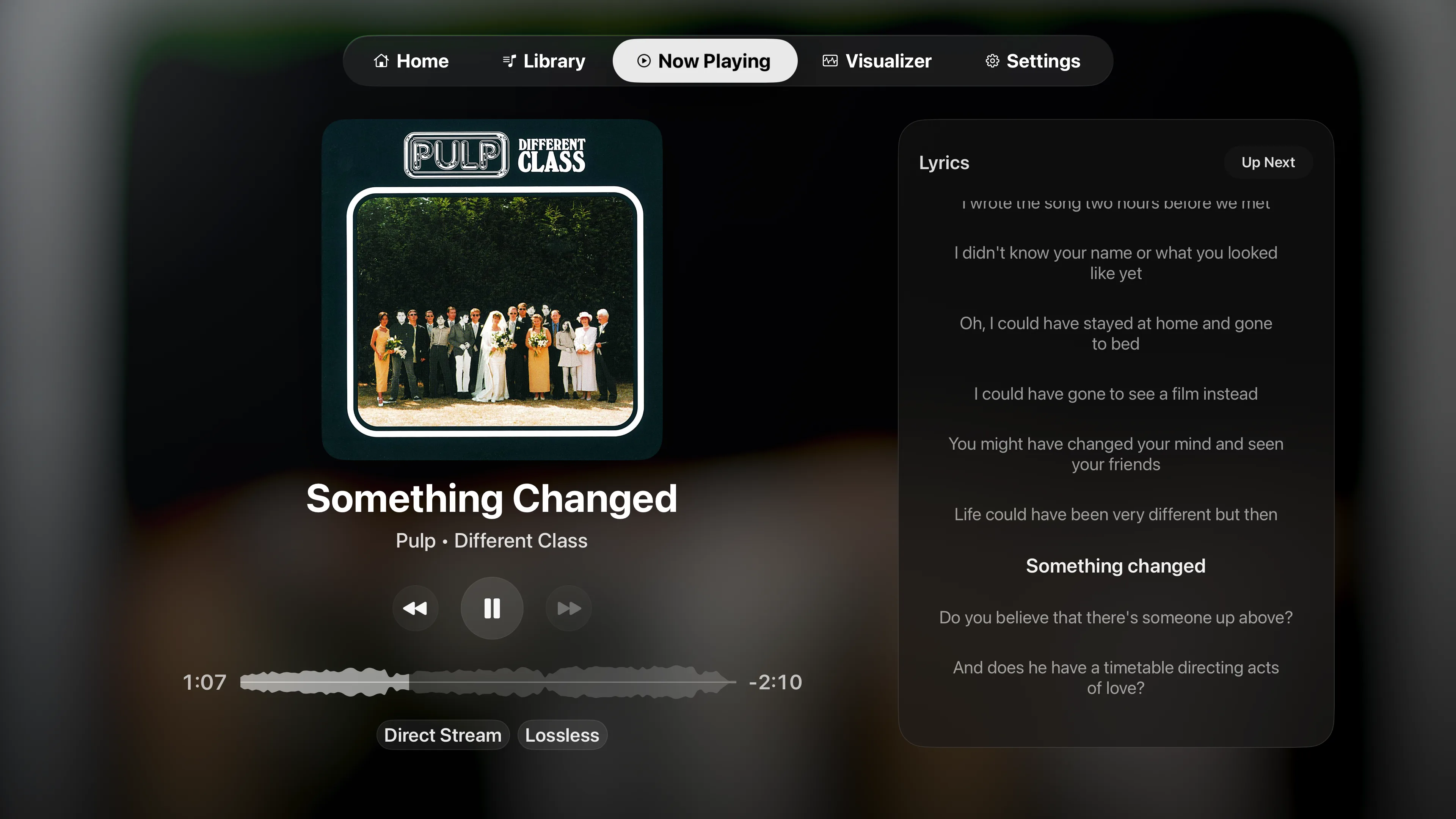
Now Playing keeps the artwork big, with Up Next or lyrics beside it. When Plex has timed lyrics, they follow the song line by line. You can play next, play last, reorder or remove tracks while the music keeps going.
Gapless Priority joins tracks without a gap, so live albums and DJ mixes play straight through. On tvOS 27, Bit-Perfect Playback keeps each track's native sample rate, up to 192 kHz, when your TV or receiver supports it. Multichannel tracks reach the receiver as stereo, Dolby Digital 5.1 or multichannel PCM.
The Visualizer tab runs Milkdrop, the Winamp-era visualizer, with 534 presets. There is also a calmer built-in visualizer with Pulse, Ribbon and Spectrum modes.

Price
Browsing is free. Playback runs in free 20-minute sessions, and you can start a new one whenever one ends. Premium removes the limit, as a monthly or yearly subscription or a one-time lifetime purchase.
More on playris.app
Playris has a site of its own with the full FAQ and notes for every update. For help, use the contact form here, or send a report from the app under Settings › Account › Troubleshooting.